
Build trust before asking for attention

Set up a BISTRO BUDDY profile that tells the right people who you are and why they should connect.

Choose the correct profile type, use an accurate photo, explain your role or interests, select visibility intentionally and connect only the listings, content and opportunities that genuinely fit.

A complete profile makes every review, post, listing relationship, creator application and community interaction more credible.
Profile choicePublic or privateConnected participationEditable anytime
Profile Setup Guide profile path on BISTRO BUDDY
0
setup priorities
0
clear identity
0
fake claims needed
0
editable
Build trust before asking for attentionChoose the right roleChoose visibilityBuild trustConnect the next actionBuild trust before asking for attentionChoose the right roleChoose visibilityBuild trustConnect the next action
Why this matters

People should understand your profile before they have to guess.

A strong profile uses accurate identity, purpose, location, interests, expertise and media. It makes the next action obvious without overloading the page with vague claims.
Use an accurate identity

Choose a recognizable photo, truthful role and profile type that matches how you actually participate.

Write for the right audience

Explain the food interests, business responsibilities, services or creator skills that matter to the people you want to reach.

Connect proof and action

Add authorized listings, approved content, events, portfolio examples or community activity that supports the profile’s purpose.
Profile Setup Guide connected BISTRO BUDDY community experience
Connected profile growth

Build the profile in layers so every field earns its place.

Start with identity and visibility. Add the role, interests or services. Connect location and relevant relationships. Add proof. Review the public view. Then keep the profile current as your role changes.

Choose the next layer

The best profile is specific enough to attract the right connection.

Owners should explain what they manage. Professionals should show what they do. Foodies should share genuine interests. Optional dating members should state intent clearly and prioritize safety.

Owner setup

Connect the owner identity to authorized businesses and accurate listing information.

Professional setup

Add expertise, services, portfolio proof and creator relevance.

Foodie or social setup

Add authentic interests, preferred experiences and clear participation intent.
01

Choose type and visibility

Select the category and public or private path that match your real role and comfort level.
02

Complete the essential fields

Add accurate identity, location, interests, expertise, biography, profile photo and any required profile-specific information.
03

Connect proof and review

Link authorized listings or approved content, review the public-facing profile and update anything unclear or outdated.
A practical profile sequence

Build profile setup guide in clear steps that stay easy to manage.

Each stage has a clear purpose, a stable layout and a real destination inside the BISTRO BUDDY network.

Choose

Choose type and visibility

Select the category and public or private path that match your real role and comfort level.

Choose

Build

Complete the essential fields

Add accurate identity, location, interests, expertise, biography, profile photo and any required profile-specific information.

Connect

Connect proof and review

Link authorized listings or approved content, review the public-facing profile and update anything unclear or outdated.

Connect

Grow

Keep the profile current

Review identity, visibility, permissions, content and connected actions whenever your role or goals change.
Profiles people can recognize

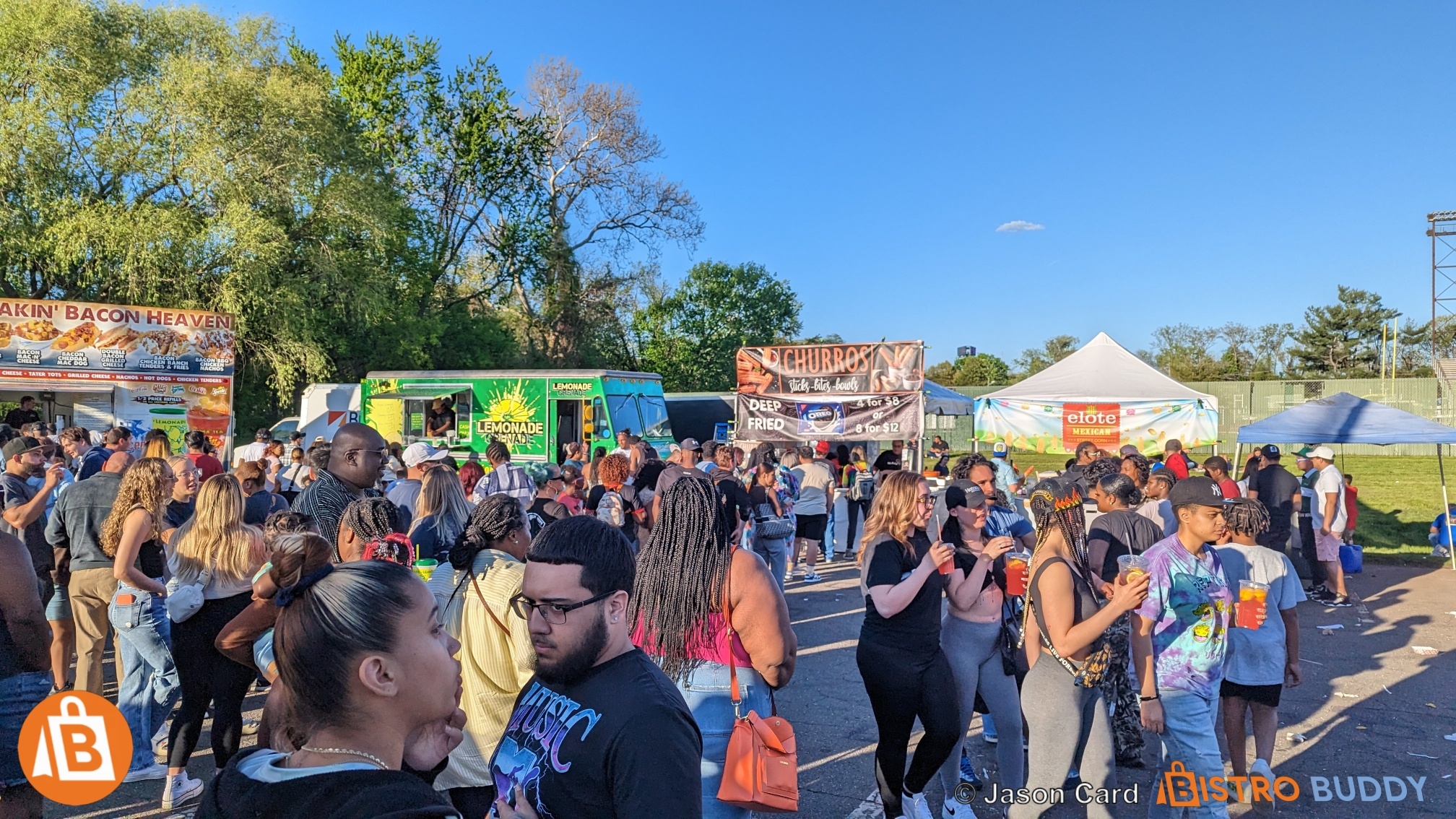
Use clear profile media and real BISTRO BUDDY experiences to make profile setup guide feel credible.

Every image remains a native editable media element while the public page uses it to communicate identity, participation and real food-and-drink community energy.
Need help choosing or managing a profile?

Tell BISTRO BUDDY what you need from profile setup guide.

Share your role, visibility preference, business relationship, content goals and the specific profile decision you are trying to make.

Please complete the required field.
Accuracy beats hype: Do not claim ownership, employment, credentials, audiences, clients or permissions you cannot support. A focused truthful profile sells better than inflated copy.
Built around your profile decision

Built for new members who want a credible profile that is easy to understand and ready for useful participation. Designed to turn the right identity into useful action.

Profile Setup Guide works best when the member can understand the role, visibility, features and next destination before registering or switching.

Choose the correct identity

Match the profile to the real role, interests or participation goal before adding content or business relationships.

Control public visibility

Use the public or private path that fits discovery goals and personal comfort.

Connect the right tools

Move into community, listing, content, event or creator tools only when they fit the profile’s purpose.

Keep the profile current

Edit fields, review permissions and switch profile type when the member’s real role changes.
Profile Setup Guide growth through BISTRO BUDDY
Profile → participation → growth

Make profile setup guide the beginning of a useful network path—not an isolated account.

Use profile setup guide to identify the member, connect relevant people and interests, support authorized business or content relationships and guide the next real action. The goal is to complete the right fields, choose visibility, add proof and connect the next useful platform action.

Choose the right path

Use the profile route that matches the current role and visibility goal.

Start with a free community profile. Add business listings, subscriptions, creator programs or managed services only when they support a real need.

Foundation

Identity
  • Correct profile type
  • Public or private visibility
  • Accurate name, photo and location
  • Clear purpose

Credibility

Context
  • Biography, interests or expertise
  • Portfolio or experience
  • Authorized business relationships
  • Useful media

Momentum

Action
  • Follow relevant people and businesses
  • Publish approved content
  • Explore events and opportunities
  • Keep the profile current
Accuracy beats hype: Do not claim ownership, employment, credentials, audiences, clients or permissions you cannot support. A focused truthful profile sells better than inflated copy.

Choose or confirm the profile

Use the profile selector or member switcher to make sure profile setup guide reflects the member’s real role.

Complete the profile

Add accurate identity, interests, expertise, visibility and supporting media.

Connect the next useful action

Move into community, listings, content, events or creator opportunities that genuinely fit.
Questions before you choose

Review the profile setup guide details before registering or switching.

These answers explain the visible profile choices and how they connect to the current BISTRO BUDDY account, community and listing systems.

Stable profile growth

Four moves turn profile setup guide into a stronger network identity.

The layout stays stable while the profile moves from choice to completion to connected activity and ongoing management.

01

Choose the role

Define the real role, interests or participation goal behind profile setup guide.
02

Choose visibility

Select public or private based on discovery needs and comfort.
03

Complete the identity

Add accurate fields, profile media and proof.
04

Connect and maintain

Link the correct community, business, content and opportunity actions, then keep them current.
Keep exploring profile paths

The next page should answer the next profile question.

Use these connected pages to compare categories, visibility, setup and ongoing management without leaving broken links or dead ends.

Choose the correct profile type and visibility, then add an accurate name, profile photo, location, role or interests and a concise description.

Choose the next profile destination

Every profile setup guide decision should lead to the next useful action.

Explore the connected pages below to register, compare visibility, build the profile, manage it and connect the appropriate business or creator path.

Choose Your Profile

Compare all eight public and private registration paths.

Switch Profile Type

Understand the logged-in member switcher.

Public vs Private

Compare discovery and public user-listing visibility.

Profile Setup Guide

Build a clear, accurate and credible profile.

Profile Features

Connect the profile to community and platform tools.

Profile Management

Edit, switch and maintain connected activity.

Creator Profiles

Build professional creator proof and opportunities.

Business Listings

Connect authorized business destinations and plans.
fas fa-link

Turn profile setup guide into a profile people can understand, trust and connect with.

Choose the right identity, set visibility intentionally and connect the next real BISTRO BUDDY action.

FOOD&DRINK NETWORK

A COMMUNITY-DRIVEN PLATFORM THAT EMPOWERS GROWTH THROUGH TECHNOLOGY & COLLABORATION

Discover and support the food and drink event scene on the ultimate community platform for foodies and businesses. Connect with restaurants, food trucks, farmers markets, breweries, wineries, vendors, event organizers, creators, influencers, and local food lovers. Find events, menus, deals, tickets, reservations, jobs, videos, reviews, and news — then choose the profile path that puts you into the network faster.

Download the BISTRO BUDDY App

Search food, drink, deals, events, videos, and community updates faster from your phone.

Download on the App Store Get it on Google Play
Always side-by-side. Built to scale down cleanly.
BISTRO BUDDY Social Network

Follow BISTRO BUDDY Everywhere

Join the food & drink network across our official social channels, creator updates, videos, events, and community conversations.

Explore Food Culture in Your Language

BISTRO BUDDY helps food lovers, travelers, and event-goers discover local flavors, food trucks, and festivals around the world — now available in multiple languages for a smoother experience.

Create A Free Account for An Ad-Free Experience.

Create a free business listing, login, or create your foodie account if you don’t have one yet.